Unplug the Guilt: Six Phone Battery Rules That Quietly Stopped Being True
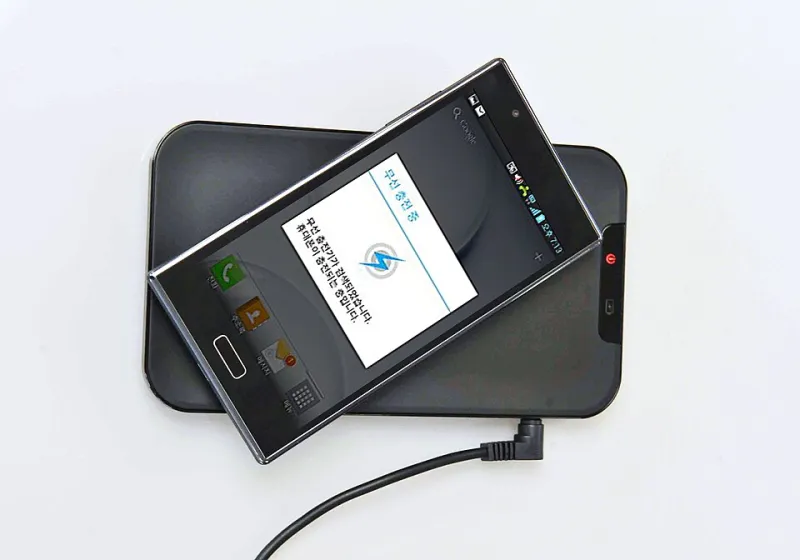
Photo: LG전자, CC BY 2.0, via Wikimedia Commons
Somewhere between your first flip phone and the one in your pocket right now, the rules changed — and nobody sent the memo. The old advice still floats around the family group chat: never leave it plugged in, drain it all the way, only use the charger that came in the box.
Here's the calm version. The battery in your phone is tougher and smarter than the folklore gives it credit for, and most of the rules you've heard are leftovers from a different era of chemistry. Six of them can be retired today.
Myth 1: Leaving it plugged in overnight ruins the battery
Your phone isn't a bucket that overflows. The charging circuitry stops when the battery is full, and most phones sold in the US now go further: optimized charging learns your alarm and holds the battery around 80% overnight, finishing up right before you wake. You can plug in at 11 p.m. and unplug at 7 a.m. without doing damage.
What actually ages a battery is heat, not the plug. So charge on the nightstand, not under the pillow, and keep it off the radiator.
Myth 2: You should let it run to zero once a month
That was real advice — for nickel-cadmium batteries, which developed a 'memory' if you topped them up too often. No phone made in the last couple of decades uses that chemistry. Lithium-ion, which is what's in your phone, actually prefers shallow dips: strolling from 80% down to 45% and back is gentler than a forced march to 0%.
If your phone dies on a long travel day, nothing terrible happens. Just don't plan it.
Myth 3: Only the manufacturer's charger is safe
Official chargers are fine. So are good third-party ones. The word you want is certified — a USB-C charger from a recognizable brand, bought from a store you trust, with proper markings on the brick. Modern USB-C Power Delivery negotiates: the phone asks for the voltage it wants and the charger supplies it.
What to skip is the four-dollar brick from the gas station bin with no markings at all. And pay attention to the cable as much as the brick. A frayed, melted, or permanently 'charging slowly' cable is a genuine hazard — replace it rather than taping it up.
Myth 4: Closing apps saves battery
Swiping apps out of the switcher feels productive. It usually costs energy, because the app has to cold-start from scratch next time, and your phone's operating system is already very good at freezing apps you aren't using.
The real lever is one screen away: Settings → Battery. Look at what actually consumed power in the last 24 hours. If a game or a social app is sitting at 30% while you barely touched it, restrict its background activity. That's the fix — not a five-minute swipe-a-thon.
Myth 5: Fast charging wrecks your battery
Fast charging does generate heat, and heat does age cells. But the phone manages the process: it pulls maximum power when the battery is low and cool, then eases off as it fills. That curve is designed to protect the battery.
The pattern that matters is what happens around the charging — fast-charging under a pillow, in a hot car, or while gaming hard in a thick case. If the phone feels genuinely hot to the touch while plugged in, take the case off and let it breathe.
Myth 6: 100% is the goal, and that percentage is exact
The little number in the corner is an estimate, not a fuel gauge. It recalibrates, occasionally jumps, sits at 100% and then drops to 97% minutes later. None of that means anything is broken.
And 'full' isn't the healthiest place to park a lithium cell — the middle of the range is. That's why so many phones now offer a hard 80% cap in settings (on iPhone, look under Settings → Battery → Charging; on many Androids, search for Battery protection). If you're near a charger most of the day, turning that on is a quiet win. If you're out and about, charge to 100% and don't think about it.
The one rule that actually matters
Keep it cool. A phone on a car dashboard in July, charging under a pillow, or baking on a sunny seat is taking real wear. Heat plus a full charge is the worst combination there is. Everything else on this list is a rounding error by comparison.
A routine you can actually keep
- Plug in whenever it's convenient — at your desk, in the car, on the nightstand. Short top-ups are good for the battery, not bad.
- Overnight is fine. Turn on optimized charging or the 80% limit, and set the phone on something hard.
- Skip the deliberate zero. Don't drain it on purpose.
- Buy certified chargers and cables, and retire the frayed ones.
- Check Battery usage about once a month. One settings visit, not a daily habit.
- Keep it out of hot places. The glovebox is not a phone case.
That's it. No tracking percentages, no timers, no guilt.
What to expect in a couple of years
After two years of normal use, a battery health reading in the low-to-mid 80s is completely ordinary — it's wear, not a defect. A battery replacement at a local repair shop typically runs far less than a new phone and brings back most of that day-one feel.
Which means the best thing you can do with the battery you have right now is stop worrying about it.